YDYの博客

一只有理想的菜鸟

灰度变换与空间滤波

  • 图像灰度直方图均衡化实现
  • 均值滤波
  • 拉普拉斯算子锐化图像
  • 骨骼图像增强

图像灰度直方图均衡化实现

1
2
3
4
5
6
7
8
9
10
11
12
13
14
15
16
17
18
19
20
21
22
23
24
25
26
27
28
29
30
31
32
33
34
I=imread('Fig0316(4).tif');
[M,N]=size(I);
Id=double(I);
% 遍历所有像素,统计图像灰度直方图
IHist=zeros(1,256);
for i=1:M
for j=1:N
IHist(Id(i,j)+1)=IHist(Id(i,j)+1)+1;
end
end
plot(IHist);
% 直方图归一化处理
IHist=IHist./(M*N);
% 采用输入图像概率累积函数进行灰度级映射计算
Sk=zeros(1,256);
for k=0:255
Sk(k+1)=sum(IHist(1:k+1));
end
figure,plot(Sk);
% 灰度级的重新量化
Smin=min(Sk);
Sk=uint8(255*(Sk-Smin)./(1-Smin)+0.5);
figure,plot(Sk);
% 输出经直方图均衡化的图像
Ieq=zeros(M,N);
for i=1:M
for j=1:N
L=double(I(i,j))+1;
Ieq(i,j)=Sk(L);
end
end

Ieq=mat2gray(Ieq);
figure,imshow(Ieq);

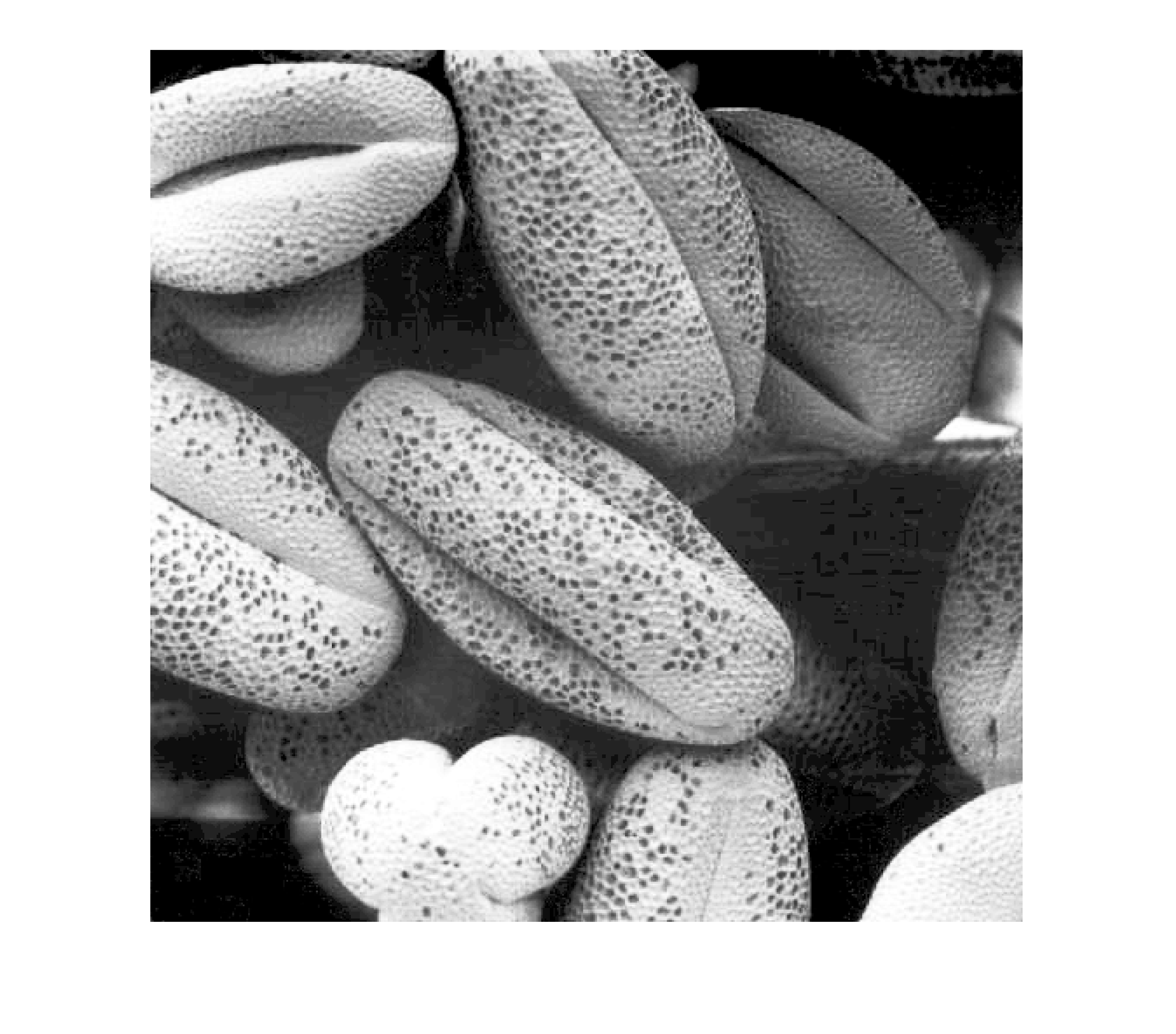
QQ截图20240312234917.png

1.png

Matlab IPT函数:

  • imhist() 计算和显示图象直方图
  • histeq() 直方图均衡化处理
1
2
3
4
5
6
7
8
9
10
I=imread('Fig0316(1).tif');
figure(1);
imshow(I);
figure(2);
imhist(I)
leq=histeq(I,256);
figure(3);
imshow(leq);
figure(4);
imhist(leq)

均值滤波

1
2
3
4
5
6
7
8
9
10
11
12
13
14
15
16
%使用自带函数
Picture=imread('fig3.tif');
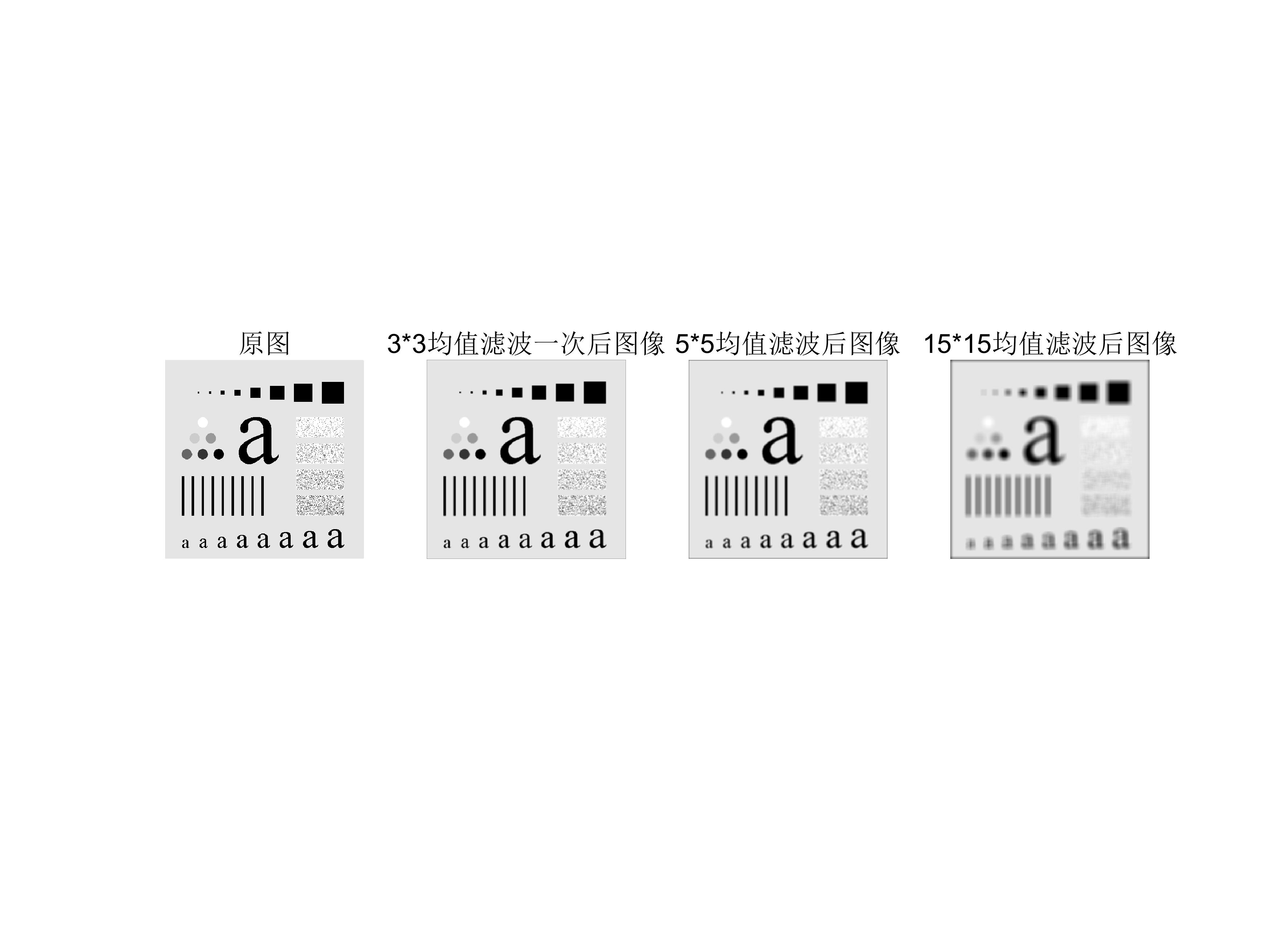
subplot(1,4,1);imshow(Picture,[]);title('原图');
Tem_Smooth=fspecial('average', [3, 3]);
P_Smoothl=imfilter(Picture,Tem_Smooth);
subplot(1,4,2);imshow(P_Smoothl,[]);title('3*3均值滤波一次后图像');
%P_Smooth2=imfilter(P_Smoothl, Tem_Smooth);
%subplot(1,4,3);imshow(P_Smooth2,[]);title('均值滤波二次后图像');
%P_Smooth3=imfilter(P_Smooth2,Tem_Smooth);
%subplot(1,4,4);imshow(P_Smooth3,[]);title('均值滤波三次后图像');
Tem_Smooth=fspecial('average',[5,5]);
P_Smooth2=imfilter(Picture,Tem_Smooth);
subplot(1,4,3);imshow(P_Smooth2,[]);title('5*5均值滤波后图像');
Tem_Smooth=fspecial('average',[15,15]);
P_Smooth3=imfilter(Picture,Tem_Smooth);
subplot(1,4,4);imshow(P_Smooth3,[]);title('15*15均值滤波后图像');

untitled.jpg

拉普拉斯算子锐化图像

1
2
3
4
5
6
7
8
9
figure;
Picture2=imread('fig4.tif');
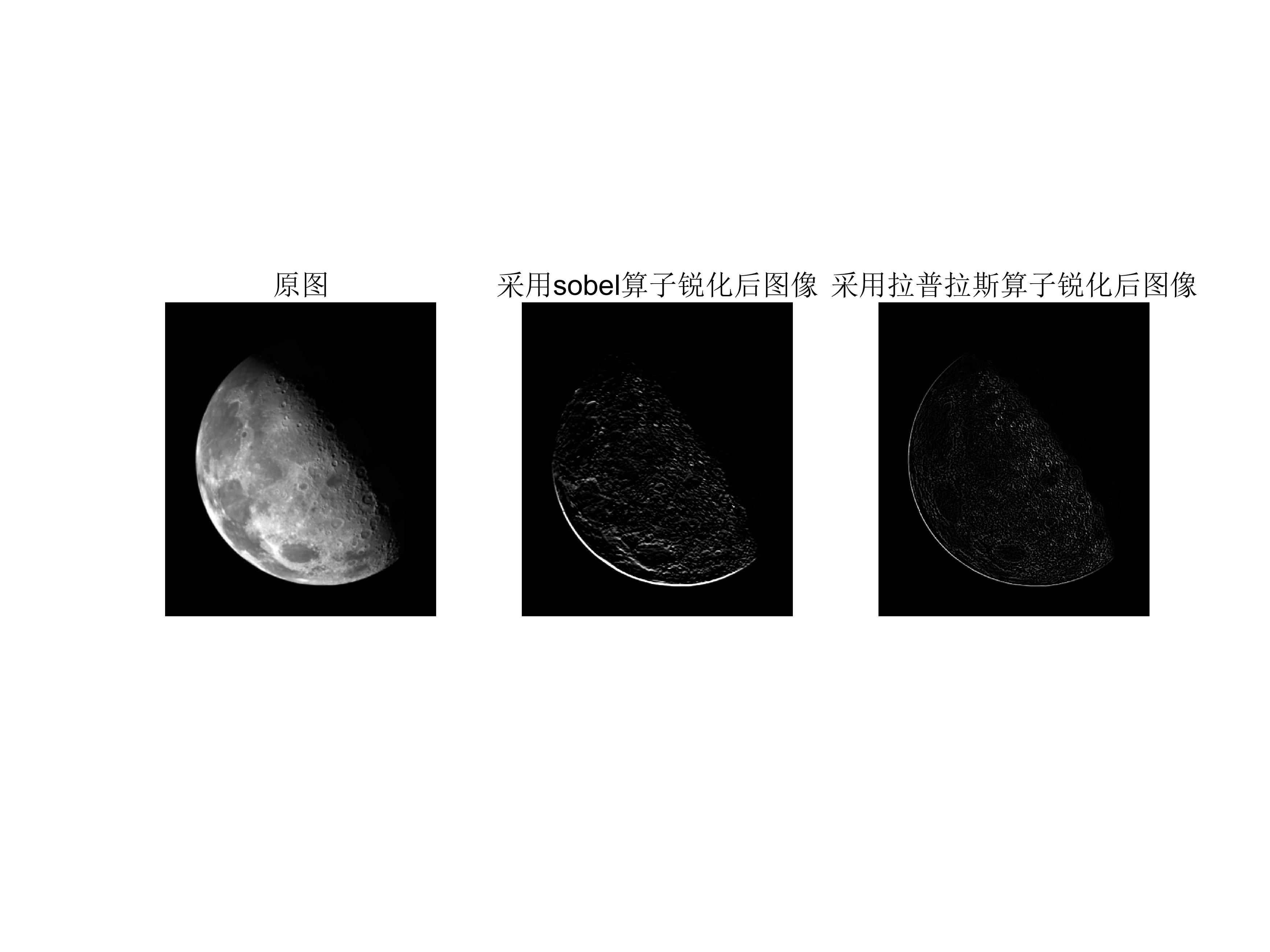
subplot(1,3,1);imshow(Picture2,[]);title('原图');
Tem_Sharpen1=fspecial('sobel');
P_Sharpenl=imfilter(Picture2, Tem_Sharpen1);
subplot(1,3,2);imshow(P_Sharpenl,[]);title('采用sobel算子锐化后图像');
Tem_Sharpen2=fspecial('laplacian');
P_Sharpen2=imfilter(Picture2, Tem_Sharpen2);
subplot(1,3,3);imshow(P_Sharpen2,[]);title('采用拉普拉斯算子锐化后图像');

moon.jpg

骨骼图像增强

1
2
3
4
5
6
7
8
9
10
11
12
13
14
15
16
17
18
19
20
21
22
23
24
25
26
27
28
29
30
31
32
33
34
35
36
37
38
39
40
41
42
43
44
45
46
47
48
49
50
51
52
53
54
55
56
57
58
59
60
61
im=imread('fig4.tif');  
im = im2double(im);
%im=rgb2gray(im);

%---原始图像
subplot(2,4,1);
imshow(im);
title('1:原始图像');

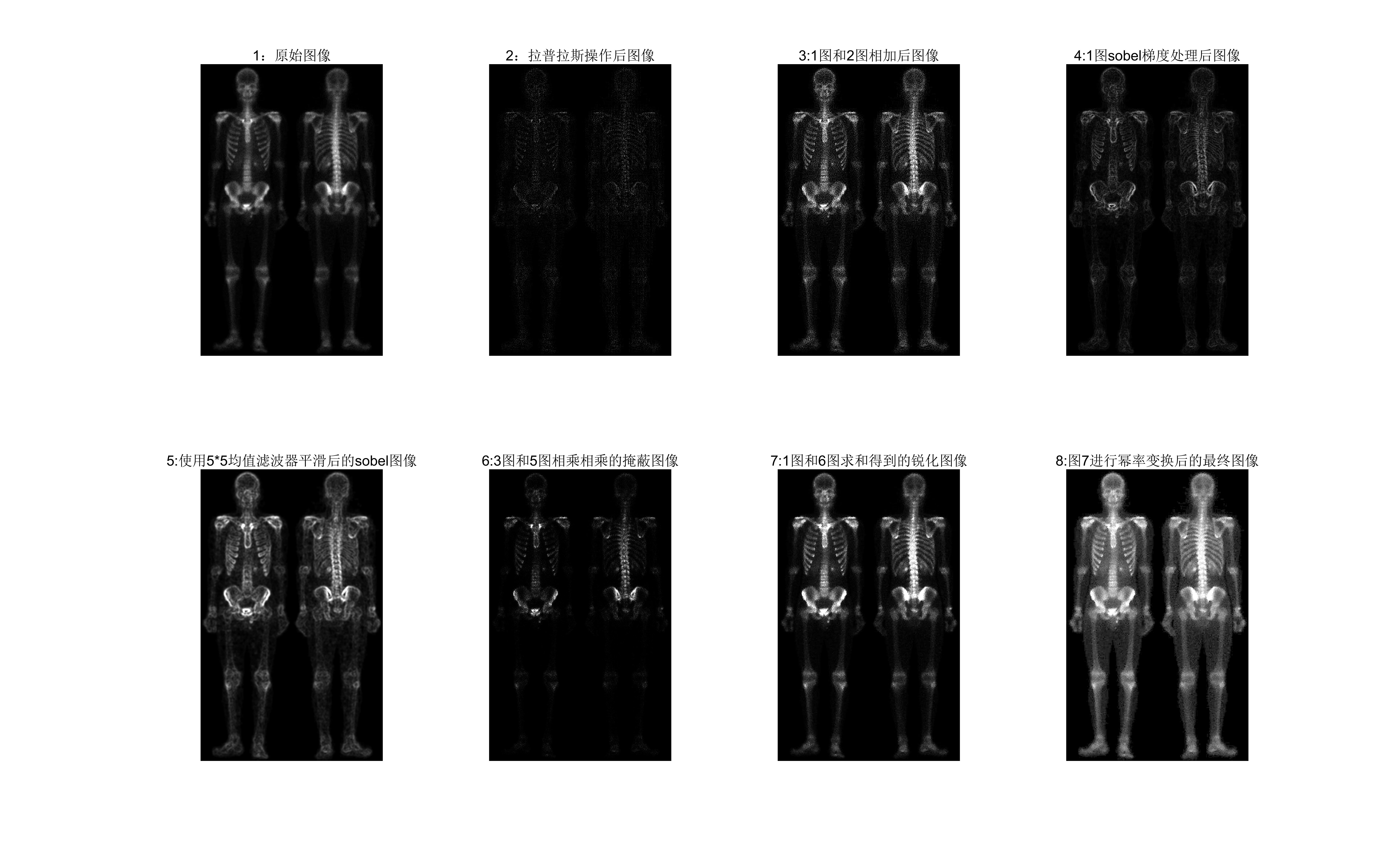
%---为图2,使用模板为[-1,-1,-1;-1,8,-1;-1,-1,-1]的滤波器对原图像进行拉普拉斯操作,为了便于显示,对图像进行了标定,这一步先对图像进行初步的锐化滤波。
subplot(2,4,2);
h =[-1,-1,-1;-1,8,-1;-1,-1,-1];
im1 =imfilter(im,h);
imshow(im1);
title('2:拉普拉斯操作后图像');

%---图3,由于使用的模板如上,让常数c=1,简单的将原图和图2相加就可以得到一幅经过锐化过的图像。
subplot(2,4,3);
im2=im+im1;
imshow(im2)
title('3:1图和2图相加后图像');

%---图4,对原图像试用Sobel梯度操作,分量gx为[-1,-2,-1;0,0,0;1,2,1],而分量gy为[-1,0,1;-2,0,2;-1,0,1]的模板。
subplot(2,4,4);
hx=[-1,-2,-1;0,0,0;1,2,1]; %生产sobel垂直梯度模板
hy=[-1,0,1;-2,0,2;-1,0,1]; %生产sobel水平梯度模板
gradx=filter2(hx,im,'same');
gradx=abs(gradx); %计算图像的sobel垂直梯度
grady=filter2(hy,im,'same');
grady=abs(grady); %计算图像的sobel水平梯度
im3=gradx+grady; %得到图像的sobel梯度
imshow(im3,[]);
title('4:1图sobel梯度处理后图像');

% ---图5,使用大小为5*5的一个均值滤波器得到平滑后的Sobel梯度图像。
subplot(2,4,5);
h1 = fspecial('average',5) ;
im4 = imfilter(im3,h1);
imshow(im4);
title('5:使用5*5均值滤波器平滑后的sobel图像');

% --图6,将拉普拉斯图像(即图3)与平滑后的梯度图像(即图5)进行点乘。
subplot(2,4,6);
% im5=immultiply(im2,im4);
im5=im2.*im4;
imshow(im5);
title('6:3图和5图相乘相乘的掩蔽图像');

% --图7,将乘积图像(即图6)与原图像相加就产生一幅需要的锐化图像。
subplot(2,4,7);
im6=im+im5;
imshow(im6);
title('7:1图和6图求和得到的锐化图像');

% --图8,扩展灰度范围,对图7进行幂率变换处理,r=0.5,c=1,然后即可对图像进行幂率变换
subplot(2,4,8);
gamma=0.5;
c=1;
im7=c.*im6.^gamma;
imshow(im7);
title('8:图7进行幂率变换后的最终图像');

骨骼2.jpg